
Google Search Console is an effective and accessible tool offered by Google that grants website owners invaluable insights into their website’s search engine optimization (SEO) performance. It acts as a bridge between your website and Google, providing data and recommendations to help you improve your search ranking and visibility. This is the guide if you want to know how to use Google Search Console to your advantage and boost your website’s SEO.
Key Features of Google Search Console
GSC offers a treasure trove of features designed to empower you to optimize your website for search engines. Here’s a breakdown of some of the most crucial functionalities:
Performance Reports: Illuminating Your Search Traffic
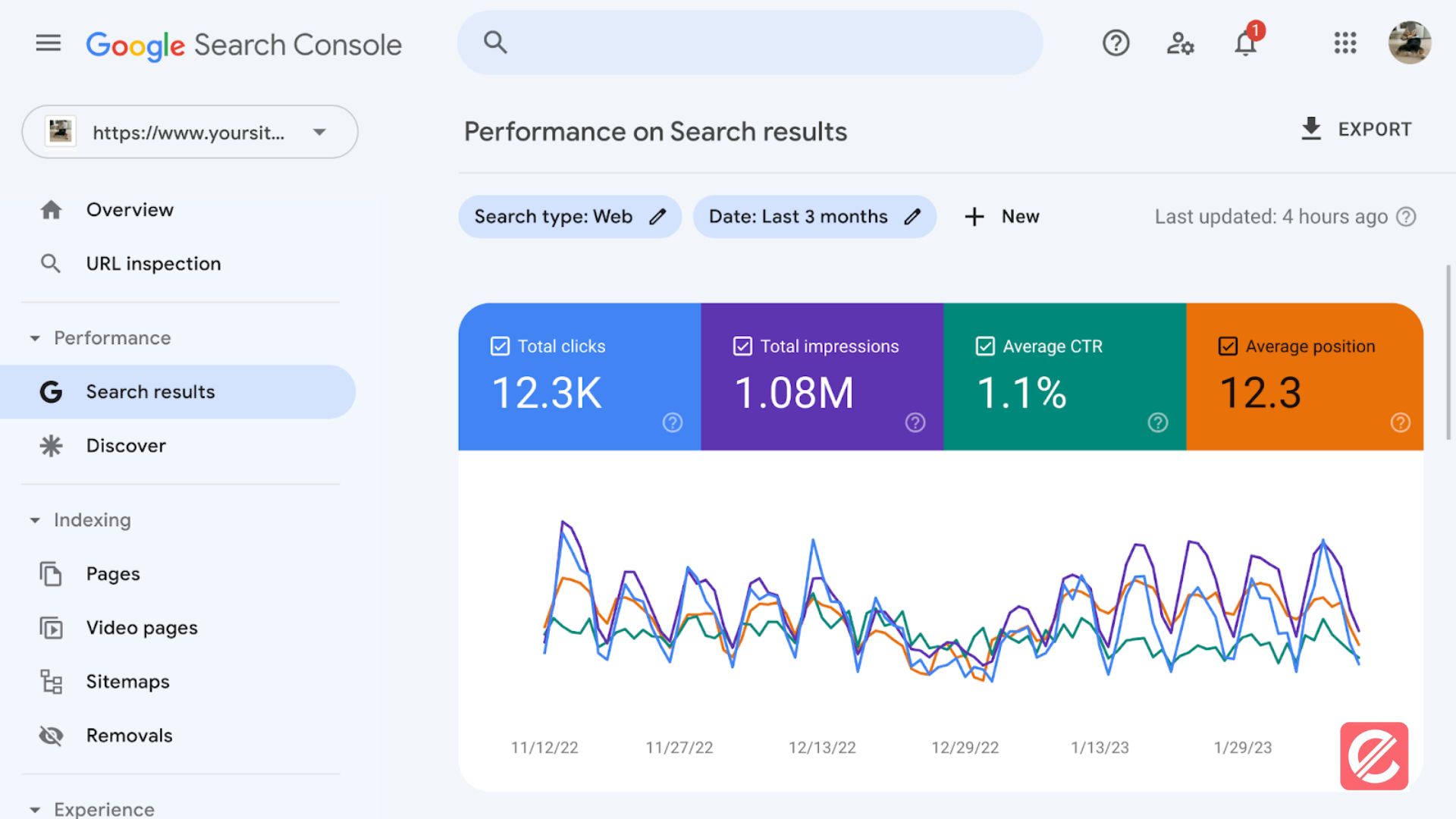
- Keywords: Delve into the keywords that users employ to find your website on Google. Analyze which keywords drive the most traffic, clicks, and impressions. With this data, you can refine your content strategy to target phrases that receive a lot of traffic from search engines.
- Clicks, Impressions, and CTR (Click-Through Rate): You may learn a lot about your website’s performance by tracking its impressions, clicks, and CTR (the percentage of people who click on your listings after seeing them). By analyzing these metrics, you can identify areas for improvement, such as optimizing titles and descriptions to boost click-through rates.
- Average Position: Track your website’s average ranking for various keywords. This will indicate your success and help you find ways to boost your ranking for specific keywords.
Index Coverage Reports: Ensuring Your Content Gets Seen
- Status: This report unveils how Google perceives your website’s pages. It identifies indexed pages (visible in search results), pages with errors that prevent indexing, and pages deliberately blocked by your robots.txt file.
- Submitted vs. Discovered URLs: Stay informed about the number of URLs you’ve submitted through your sitemap compared to the number Google has discovered while crawling your website.
Leveraging Google Search Console Data for SEO Improvement
Now that you’re familiar with GSC’s essential features let’s explore how to leverage this data to propel your SEO efforts:
Keyword Research and Content Optimization
- Discover New Keyword Opportunities: Look for keywords with a healthy search volume but where your ranking could be more robust. This presents an opportunity to create targeted content to capture a wider audience.
- Optimize Content for Search Intent: GSC data reveals users’ search queries to find your website. Analyze these queries to ensure your content aligns with the user’s intent.
Fixing Indexing Issues and Ensuring Visibility
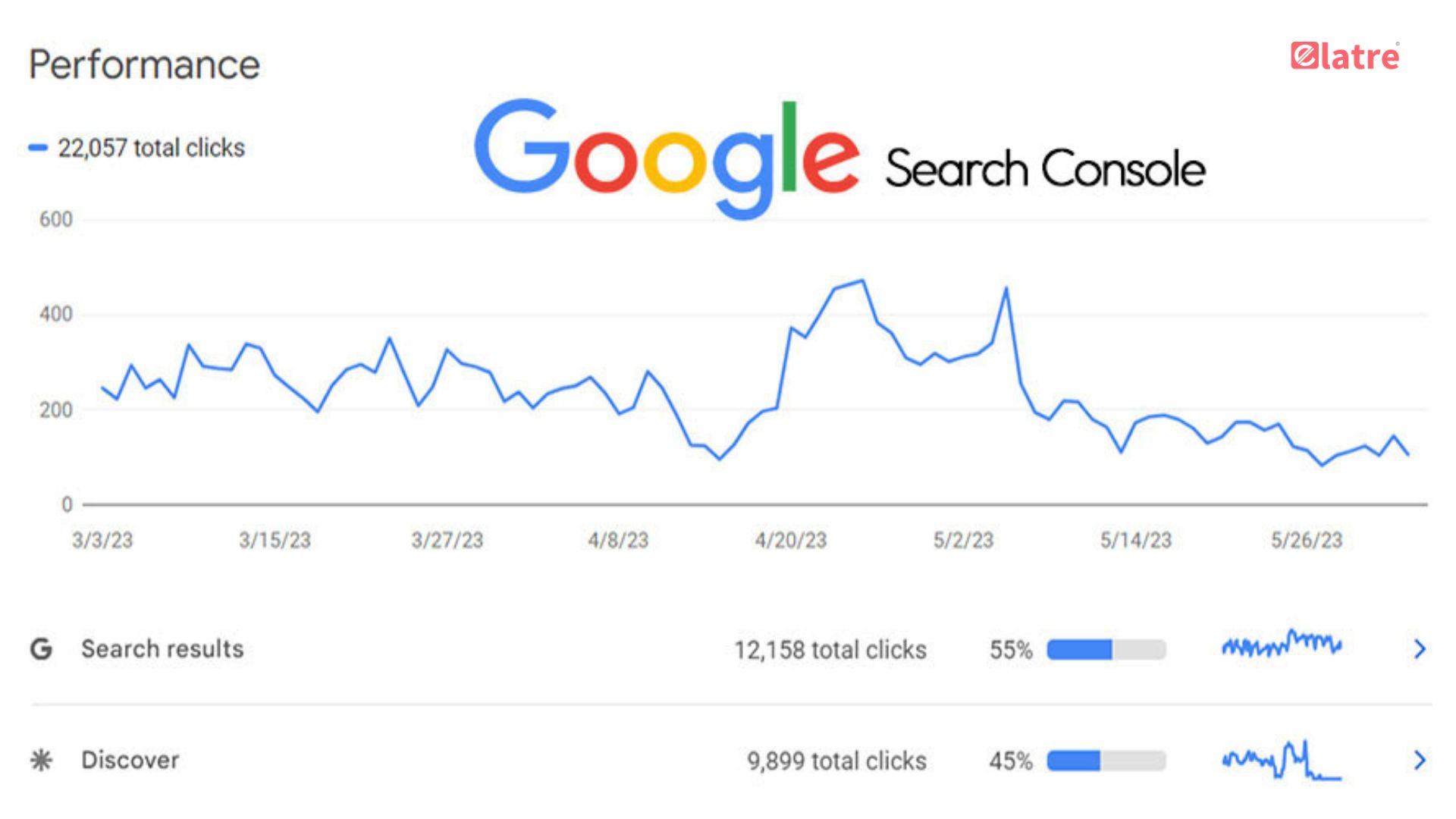
- Regularly Monitor Index Coverage: Proactively address any indexing issues flagged by GSC. This might involve fixing technical errors, submitting new URLs through your sitemap, or removing outdated content that’s no longer relevant.
- Address Mobile Usability Issues: The Mobile Usability report unveils any mobile-friendliness problems. Prioritize fixing these issues to ensure a seamless user experience for mobile v visitors, which can significantly improve your search ranking.
- Improve Core Web Vitals: Analyze the Core Web Vitals report to identify areas where your website’s loading speed, responsiveness, or visual stability might be lacking. Implementing suggested improvements can significantly enhance user experience and boost your ranking.
- Monitoring Click-Through Rates and CTR Optimization Your website’s click-through rate (CTR) is shown in the “Performance” reports. This is the amount of people who see your listing in search results and click on it. A low CTR can indicate that your title tags and meta descriptions need to be more enticing.
- Craft Compelling Titles and Descriptions: Leverage insights from the “Performance” report to identify keywords with low CTR. Include the goal keyword in your title tags and meta descriptions, and make them attractive to get people to click.
Monitoring Security Issues and Manual Actions
- Security Issues Report: While uncommon, GSC can notify you of potential security vulnerabilities on your website. Promptly address any flagged issues to safeguard your website and user data.
- Manual Actions Report: In rare instances, Google might take manual actions against your website if it detects violations of its webmaster guidelines. The Manual Actions report will inform you of such actions and provide steps to rectify the situation.
Unleashing the Power of Google Search Console
By effectively leveraging Google Search Console, you can comprehensively understand your website’s search performance. This empowers you to make data-driven decisions that significantly enhance your SEO efforts. From crafting targeted content and optimizing for mobile to ensuring smooth indexing and addressing security concerns, GSC equips you with the tools to propel your website toward SEO success.
Ready to take your SEO journey to the next level? Elatre, a top marketing company, provides a full range of SEO services to improve your website for search engines and increase its natural traffic. Explore elatrus.wpcomstaging.com to learn how Elatre’s SEO experts can help you achieve your