Imagine your website as a human body. Like our bodies, websites need regular checkups and maintenance to function optimally. A robust website draws people and turns them into leads or customers since it is quick, safe, and educational. However, a neglected website can be slow, buggy, and frustrating for users – like a body riddled with ailments. This is where website health comes in. It’s the overall well-being of your website, encompassing factors like speed, security, and user experience. In this, we’ll explore ten essential tips to improve your website’s health and performance, ensuring your online presence thrives.
Website Health: Why Does It Matter?
Think about the last time you encountered a slow, clunky website. Did you stick around or bounce off immediately? Users want websites to load quickly and provide a smooth experience in today’s fast-paced digital environment. Here’s why website health is crucial:
- Improved Search Engine Ranking (SEO): Search engines like Google prioritize user experience. A well-maintained website with quick load times and an intuitive layout will appear higher in search results. The result is more people seeing your brand and more organic traffic.
- Enhanced User Experience: A healthy website is a joy to use. It loads quickly, has a clear and intuitive navigation structure, and is optimized for different devices. Increased user happiness and engagement, as a result, promote brand loyalty.
- Boosted Conversion Rates: When users have a positive experience on your website, they’re more likely to convert, whether it’s making a purchase, signing up for a newsletter, or contacting you. Website health directly impacts your bottom line.
- Improved Brand Reputation: A healthy website reflects professionalism and trustworthiness. Conversely, a neglected website can damage your brand image and deter potential customers.
10 Essential Tips to Improve Your Website Health
Now that we know how vital website health is, let’s look at some practical advice for improving the functionality of your website:
1. Prioritize Speed
Website speed is critical. Recent research has shown that users anticipate websites to load in less than three seconds. If your website takes longer, you could lose visitors and loyal customers. Here’s how to improve website speed:
- Optimize images: Large, uncompressed images can significantly slow down your website. Use image compression tools or a Content Delivery Network (CDN) to deliver images faster.
- Minify code: Minifying HTML, CSS, and JavaScript code removes unnecessary characters and whitespace, reducing file size and improving loading times.
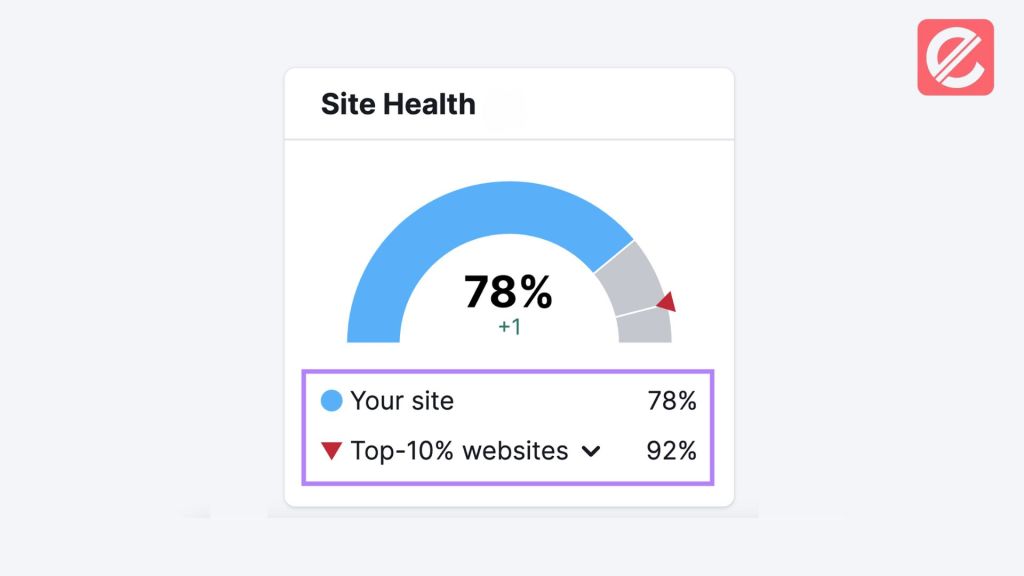
- Leverage browser caching: Caching allows browsers to store website elements locally, eliminating the need to download them repeatedly. This can significantly improve website speed for returning visitors.
2. Ensure Mobile-Friendliness
With more and more people accessing the web via their mobile devices, building a site that displays and functions flawlessly on every device is more critical than ever. Google uses mobile-first indexing, meaning the mobile version of your website is primarily considered for ranking. Here’s how to ensure mobile-friendliness:
- Use a responsive web design: Your website’s layout will adjust with a responsive design to meet the screen size of the device being used.
- Test your website across different devices: To test how your website performs and looks across various devices, use online testing tools or browser developer tools.
- Optimize for touch: Verify that touch screen buttons, menus, and other interactive elements are simple to tap.
3. Strengthen Website Security
Website security is paramount for protecting user data and preventing malware attacks. Here are some essential security measures to implement:
- Use a Secure Sockets Layer (SSL) certificate: Sensitive data is protected during data transmission between your website and visitors’ browsers thanks to an SS certificate. Look for websites that have a secure connection, indicated by “https” in the address bar.
- Maintain strong passwords: Use complex passwords for all your website logins and update them regularly.
- Keep software up-to-date: Regularly update your website’s core software, plugins, and themes to address vulnerabilities and security patches.
4. Focus on User Experience (UX)
User experience (UX) is users’ overall experience when interacting with your website. Here are some tips to enhance UX:
- Create a clear and intuitive navigation structure: Consumers should be fine navigating a confusing menu system and finding the required information.
- Optimize website content for readability: Make your writing easy to read by using straightforward language, headings, and subheadings, as well as bullet points.
- Make your website visually appealing: High-quality images, videos, and a consistent design aesthetic can contribute to a positive user experience.
5. Produce High-Quality, Engaging Content
Content is king in the digital world. Your website should offer valuable, informative content that resonates with your target audience. Here’s how to create high-quality content:
- Focus on user intent: Create content that speaks to your target audience’s requirements and pain areas by researching what they are searching for.
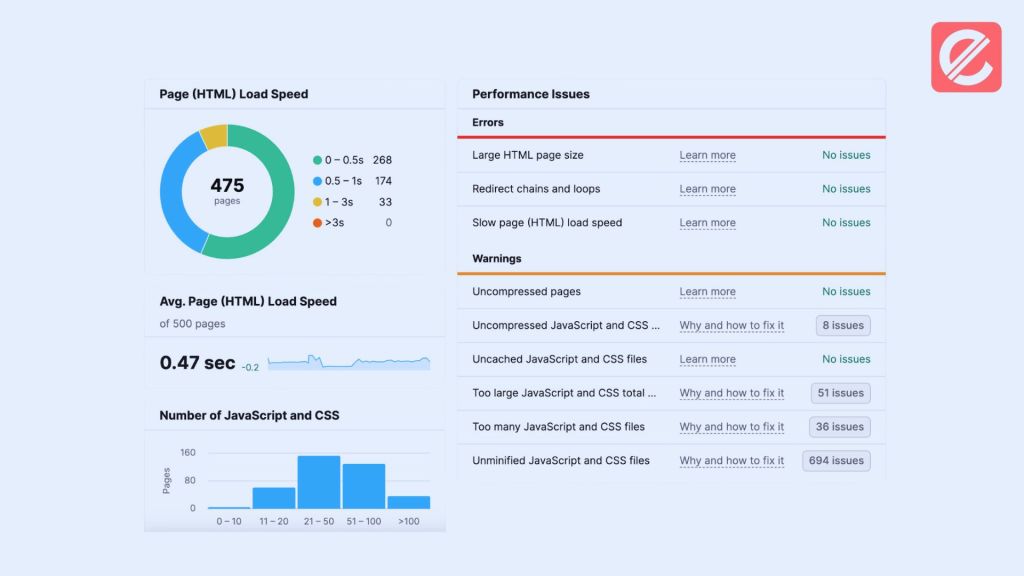
- Maintain content freshness: Continually add new information to your website to keep visitors interested and coming back for more.
- Optimize content for search engines: While incorporating pertinent keywords into your writing, give user readability precedence above keyword stuffing.
6. Leverage Analytics Tools
Tools for website analytics offer insightful information about how visitors engage with your website. You can pinpoint areas that need work by examining data such as conversion rates, user behavior, and traffic sources. Here are some popular website analytics tools:
- Google Analytics: A free and comprehensive tool offering in-depth website traffic data.
- Hotjar: Provides heat maps, recordings, and other tools to help the user understand the information.
7. Regularly Back Up Your Website
Unexpected events can happen, such as server crashes or data breaches. If you back up your website often, you will still have access to its files and database in case of an emergency. Here are some backup options:
- Manual backups: Download your website files and database periodically.
- Automated backups: Install a plugin or service that regularly and automatically backs up your website.
8. Monitor Website Uptime
Website downtime can frustrate users and harm your brand reputation. If your website goes down, you may take quick action by using website monitoring tools to receive art.
9. Stay Updated with SEO Best Practices
Search engine optimization (SEO) is constantly evolving. Maintaining your website’s visibility in search results is ensured by adhering to the most recent SEO practices. Here are some resources to stay informed:
- Google Search Central: Provides official guidelines and updates from Google on SEO best practices.
- Industry blogs and publications: Many websites offer valuable insights and advice on SEO strategies.
10. Seek Professional Help
Maintaining a healthy website can be a complex task. If you need more technical expertise or time to manage website optimization, consider seeking help from a professional digital marketing agency like Elatre.

Keeping Your Website Thriving: A Final Word on Website Health
Website health is an ongoing process, not a one-time fix. You can ensure your online presence thrives by implementing these essential tips and consistently monitoring your website’s performance. A well-maintained website will draw visitors and turn them into leads and customers, which will ultimately help your business succeed.
Ready to explore how Elatre can help you improve your website health and achieve your digital marketing goals? Contact us today for a free consultation!